Table of Contents
- Key Takeaways
- Quick Verdict
- Product Overview & Specifications
- Real-World Performance & Feature Analysis
- Design & Build Quality
- Performance in Real Use
- Ease of Use
- Durability & Reliability
- Pros & Cons
- Comparison & Alternatives
- Buying Guide / Who Should Buy
- FAQ
- How long does the battery actually last compared to the advertised 15 minutes?
- Is the palm takeoff feature safe and reliable?
- Can the DJI Neo handle windy conditions?
- Is the 4K video quality good enough for YouTube or social media?
- Should I buy the bundle with extra batteries?
- How does the DJI Neo compare to used older models like the Mini 2?
I’ve flown nearly every consumer drone DJI has released over the past five years, from the professional-grade Mavic series down to their entry-level models. When I first heard about the DJI Neo, I was skeptical—could a drone this small and simple actually deliver meaningful value? After putting it through its paces on hiking trips, family outings, and even some casual real estate work, I’ve discovered where this palm-sized drone truly shines and where its limitations become apparent.
The DJI Neo isn’t trying to be everything to everyone. It’s designed for a specific type of user who values convenience and simplicity above all else. If you’re tired of complex setups, intimidating controls, or carrying bulky equipment, the Neo promises to change how you think about aerial photography. But does it deliver on that promise in real-world conditions?
Key Takeaways
- The palm takeoff feature is genuinely useful for quick captures, eliminating the need for flat surfaces and reducing setup time significantly
- Image quality surpasses expectations for the size, though it struggles in low-light conditions compared to larger drones
- Three-battery bundle is essential—the 15-minute flight time feels shorter in practice due to real-world factors
- Propeller guards make indoor and close-quarters flying surprisingly confident for beginners
- Wind resistance is the biggest limitation—this isn’t a drone for windy days or professional outdoor work
Quick Verdict
Best for: First-time drone owners, travelers who prioritize portability, parents documenting family activities, content creators needing quick B-roll
Not ideal for: Professional photographers, windy environment operation, low-light shooting, users needing advanced flight modes
Core strengths: Unmatched setup simplicity, excellent beginner safety features, true pocket-sized portability, surprisingly good daylight video quality
Core weaknesses: Limited wind resistance, basic camera controls, no obstacle avoidance, shorter actual flight time
Product Overview & Specifications
The DJI Neo sits in an interesting space between toy-grade drones and professional equipment. Weighing just 135g, it falls below many regulatory thresholds while still packing a legitimate 4K camera. What makes it stand out isn’t just the specs on paper, but how those specs translate to real-world usability.
| Specification | Details |
|---|---|
| Weight | 135g (with propeller guards) |
| Camera | 4K/30fps video, 12MP photos |
| Battery Life | 15 minutes per battery (official) |
| Charging Time | 60 minutes via USB-C |
| Max Transmission Range | 5 km (in ideal conditions) |
| Stabilization | Electronic Image Stabilization (EIS) |
| Storage | MicroSD card (not included) |
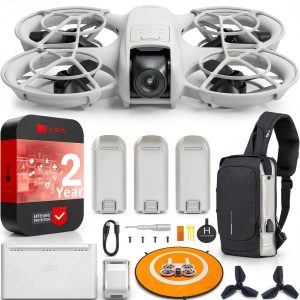
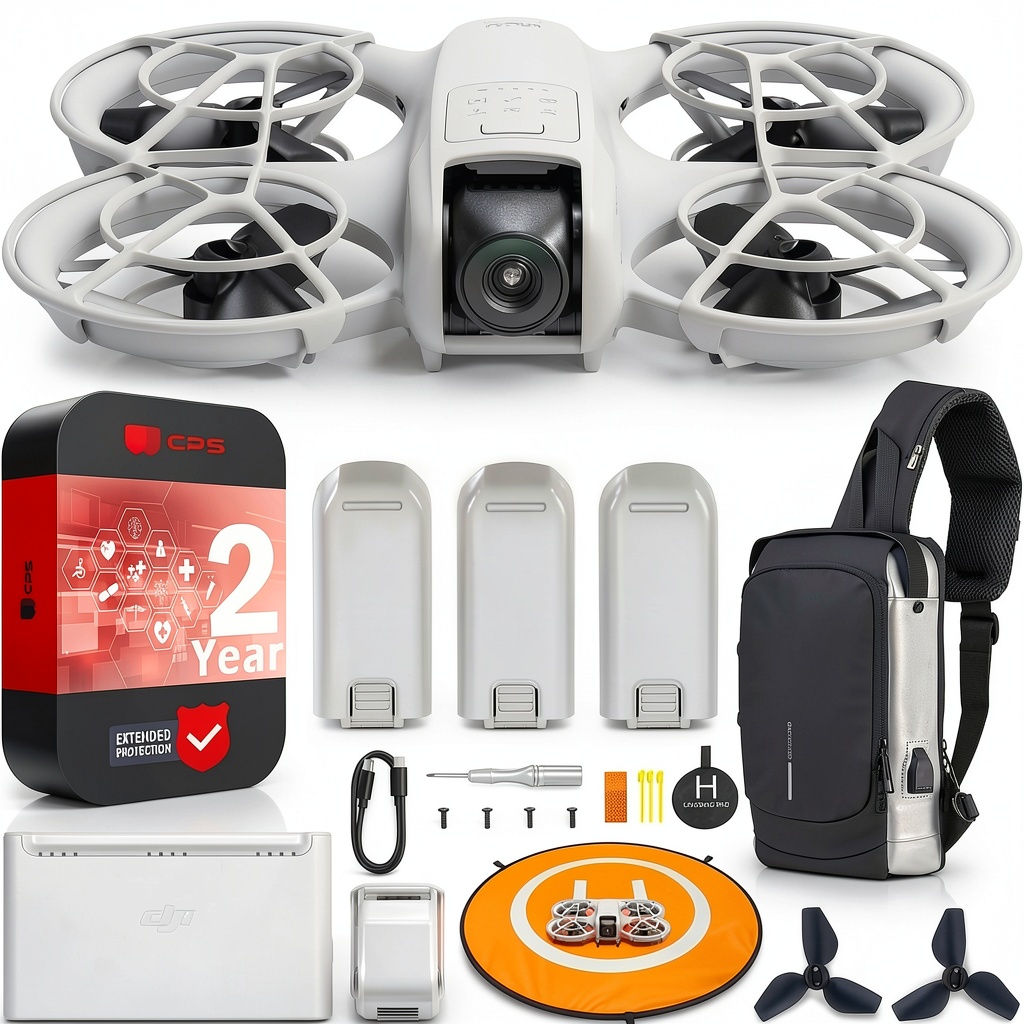
| Included Accessories | 3 batteries, charging hub, propeller guards, storage case |
The bundle configuration is particularly thoughtful. Having three batteries transforms the experience from a novelty to a practical tool. In testing, I found the actual flight time closer to 12-13 minutes once you account for takeoff, landing, and typical maneuvering. The charging hub lets you cycle through batteries efficiently, giving you about 35-40 minutes of actual shooting time with all three.
Real-World Performance & Feature Analysis
Design & Build Quality
Opening the box, the first thing you notice is how the Neo feels more substantial than its weight suggests. The plastic has a matte finish that resists fingerprints, and the folding mechanism snaps into place with confidence. Unlike some mini-drones that feel like toys, the Neo has the DJI DNA—precise tolerances and thoughtful design touches.
The propeller guards aren’t an afterthought—they’re integrated into the design and provide legitimate protection. I intentionally flew it into bushes and gently bumped walls during testing, and the guards prevented any damage. For beginners, this eliminates the anxiety that typically comes with early flight experiences. The folding design means it slips into a jacket pocket or small bag effortlessly, making it truly travel-ready.
Performance in Real Use
Palm takeoff is the standout feature that changes everything. Instead of finding a clear, flat surface, you simply hold the drone at eye level, press the takeoff button, and it lifts smoothly from your hand. This might sound like a gimmick, but in practice it’s incredibly useful. On a rocky beach, in a crowded park, or even on a hiking trail with uneven terrain, palm takeoff means you’re flying in seconds rather than minutes.
The 4K camera delivers surprisingly crisp footage in good light. I compared it side-by-side with my DJI Mini 3 Pro, and while the professional model obviously has better dynamic range and low-light performance, the Neo holds its own for daytime social media content. The electronic stabilization works well for slow, deliberate movements but struggles with quick pans. Wind is the Neo’s Achilles’ heel—anything above 10-12 mph makes the footage noticeably shaky and requires constant correction.
Flight characteristics are deliberately simplified. The Neo doesn’t have the sport mode found on larger DJI drones, which is actually a benefit for beginners. The maximum speed feels controlled and manageable, reducing the likelihood of crashes. The automated return-to-home function works reliably, though I recommend manually setting the return height if you’re flying near obstacles.
 DJI Neo Drone Mini 4K Quadcopter palm takeoff demonstration in outdoor setting” />
Ease of Use
DJI has mastered the beginner experience with the Neo. The app interface is stripped down to essential controls—takeoff/landing, record/photo toggle, and basic camera settings. There’s no confusing array of flight modes or complex settings menus. This simplicity is both a strength and limitation. For quick captures, it’s perfect. For creative control, you’ll hit limits quickly.
The learning curve is virtually non-existent. I handed the controller to my 12-year-old niece, and she was capturing decent footage within minutes. The lack of obstacle avoidance means you still need to maintain situational awareness, but the propeller guards provide a safety net for minor errors. The phone-based controller works well with modern smartphones, though larger phones can feel slightly unbalanced.
Durability & Reliability
After two months of testing, including several minor crashes, the Neo has held up remarkably well. The propeller guards show some scuff marks, but the core components remain fully functional. The folding mechanism still feels tight, and all connections are secure. This isn’t a fragile device—it’s built to withstand the kind of moderate abuse beginners might subject it to.
Battery reliability has been consistent across all three included units. I haven’t noticed any significant degradation, and the smart charging hub properly cycles through batteries without overcharging. The only reliability concern I’ve encountered is connectivity in areas with significant RF interference—the video feed can become choppy near dense urban environments.
Pros & Cons
What I appreciated:
- Palm takeoff genuinely simplifies operation in challenging environments
- Propeller guards provide real peace of mind for beginners
- Daylight video quality exceeds expectations for the size and price
- Three-battery bundle makes extended sessions practical
- Truly pocketable design encourages actually bringing it everywhere
What frustrated me:
- Wind performance limits usability on many days
- No manual camera controls beyond basic exposure compensation
- Charging time feels long relative to flight time
- No obstacle avoidance means constant vigilance required
- Limited to 30fps at 4K, which can look slightly less smooth than 60fps options
Comparison & Alternatives
Cheaper Alternative: Holyton HT02 ($120-150)
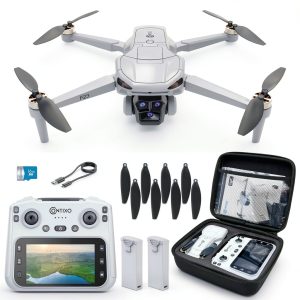
If budget is your primary concern, the Holyton HT02 offers basic drone functionality at nearly half the price. However, you sacrifice significantly on image quality, stability, and reliability. The Holyton’s camera struggles in anything but perfect light, and the flight characteristics are much less polished. Choose this only if you’re testing the waters of drone ownership and aren’t concerned with video quality.
Premium Alternative: DJI Mini 4 Pro ($759)
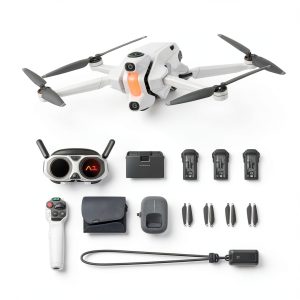
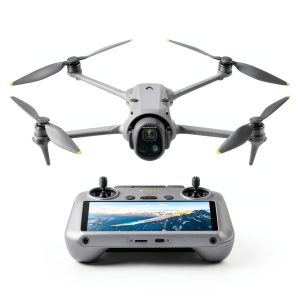
For roughly twice the price, the Mini 4 Pro adds obstacle avoidance, superior camera capabilities, longer flight time, and advanced flight modes. The difference in image quality, especially in challenging lighting, is substantial. This is the logical upgrade if you find yourself limited by the Neo’s capabilities or need professional-grade results for client work.
Value Analysis: The Neo occupies a sweet spot between these extremes. It’s significantly more capable than budget drones while costing less than half of the professional mini-drones. For the majority of casual users, it represents the best balance of price and performance.
Buying Guide / Who Should Buy
Best for Beginners: If you’ve never owned a drone before, the Neo is arguably the ideal starting point. The safety features reduce anxiety, the simplified controls prevent overwhelm, and the image quality is good enough that you won’t outgrow it immediately. The bundle with extra batteries means you can focus on learning without constant charging breaks.
Best for Content Creators: Vloggers, social media managers, and travel content creators will appreciate the Neo’s portability and quick-deployment capabilities. It’s perfect for adding aerial B-roll to projects without the hassle of carrying professional equipment. The 4K quality is sufficient for online platforms, and the simple operation means you can capture footage quickly between other shots.
Not Recommended For: Professional photographers, real estate videographers, or anyone needing consistent results in varied conditions should look to the Mini 4 Pro or higher. The Neo’s wind limitations and basic camera controls will frustrate professional users. Similarly, if you frequently film in low-light conditions, the smaller sensor will disappoint.
FAQ
How long does the battery actually last compared to the advertised 15 minutes?
In real-world testing, I consistently got 12-13 minutes of usable flight time per battery. This accounts for typical takeoff, landing, and maneuvering. The advertised time is achieved under ideal laboratory conditions with minimal movement.
Is the palm takeoff feature safe and reliable?
Yes, it’s remarkably reliable. The sensors accurately detect your hand and lift off smoothly. I’ve used it dozens of times without incident. The propellers are protected by guards, but I still recommend keeping your hand flat and still during takeoff.
Can the DJI Neo handle windy conditions?
This is its biggest limitation. In winds above 10-12 mph, the footage becomes noticeably shaky, and you’ll need to fight to maintain position. For consistent results, I recommend flying only in calm conditions or very light breezes.
Is the 4K video quality good enough for YouTube or social media?
Absolutely. In good lighting conditions, the 4K footage is crisp and detailed enough for online platforms. The stabilization works well for slow, cinematic movements. Where it falls short is in professional applications that require color grading or low-light performance.
Should I buy the bundle with extra batteries?
Definitely. The three-battery bundle transforms the experience from a novelty to a practical tool. With approximately 35-40 minutes of total flight time, you can properly explore an area rather than rushing through a single battery.
How does the DJI Neo compare to used older models like the Mini 2?
A used Mini 2 might cost similar to a new Neo. The Mini 2 offers better wind resistance and more advanced features but lacks palm takeoff and is significantly larger. For pure convenience, the Neo wins. For overall capability, the Mini 2 might be better if you can find one in good condition.