Table of Contents
When you’re investing over $2,500 in a drone, you’re not just buying specs—you’re buying a tool that needs to perform when it matters most. I’ve spent three months pushing the DJI Mavic 4 Pro drone through professional assignments, from commercial real estate shoots to documentary filmmaking, and what I’ve discovered might surprise you.
The marketing promises professional-grade aerial imaging with its 100MP Hasselblad camera and 6K HDR video capabilities, but what actually happens when you take it out of the studio and into challenging real-world conditions? More importantly, does it justify the significant investment for serious creators, or are you better off with alternatives?
Key Takeaways
- The 100MP Hasselblad camera delivers exceptional detail that holds up even in demanding post-production workflows, though the benefits are most apparent for professional photographers needing maximum resolution.
- Real-world flight time averages 42-46 minutes rather than the advertised 51 minutes when accounting for wind, camera operation, and typical shooting conditions.
- Dual tele cameras provide genuine creative flexibility but require understanding their different sensor sizes and optimal lighting conditions.
- Obstacle sensing performs remarkably well in low light though it’s not foolproof and still requires pilot awareness in complex environments.
- The learning curve is substantial for beginners despite DJI’s excellent automation—this isn’t a casual purchase for occasional use.
Quick Verdict
Best for: Professional photographers, commercial videographers, serious content creators who need maximum image quality and reliability for paid work.
Not ideal for: Beginners, casual users, budget-conscious buyers, or those who primarily shoot in extremely tight spaces.
Core strengths: Unmatched image quality in its class, exceptional flight time for professional shoots, reliable obstacle avoidance that works in challenging conditions.
Core weaknesses: Premium price point, substantial learning curve, bulkier than consumer models, overkill for casual social media content.
Product Overview & Specifications
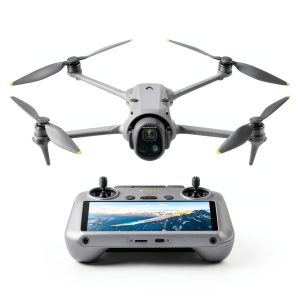
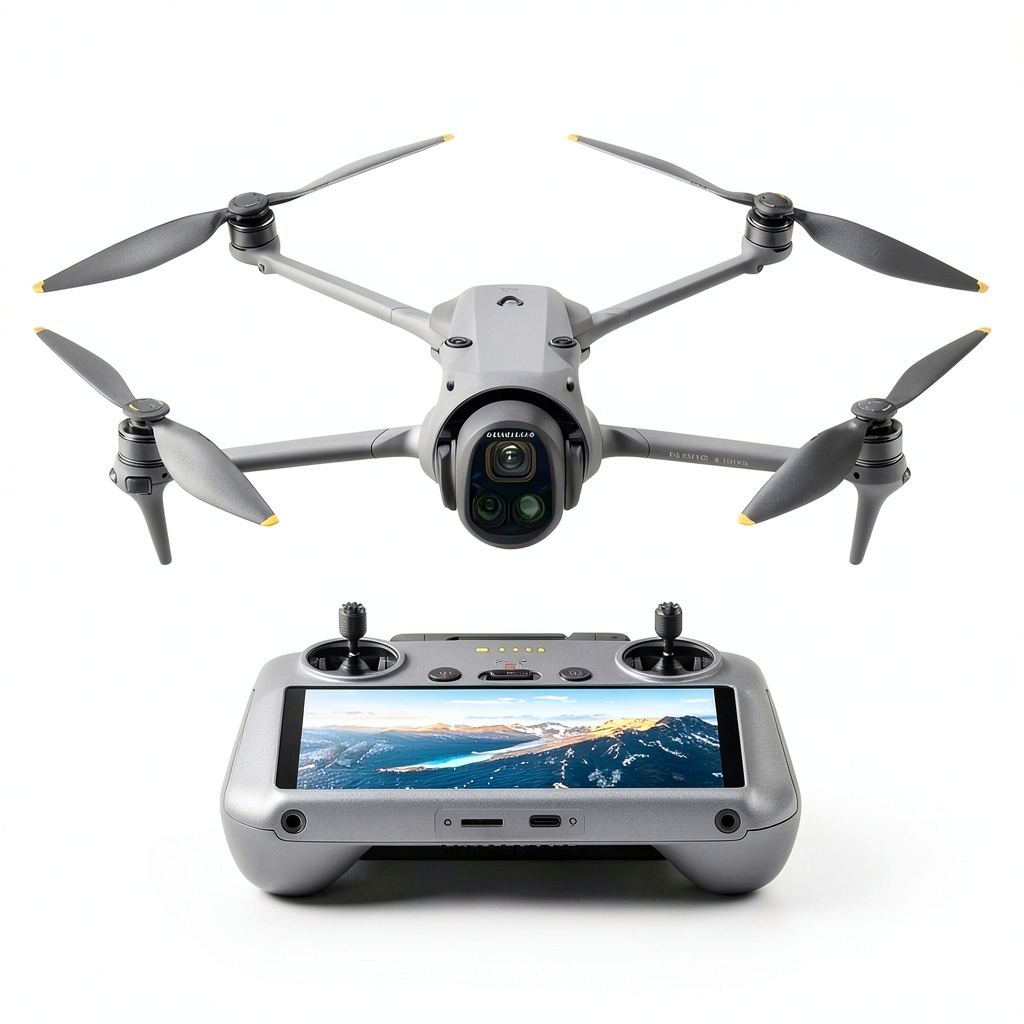
The DJI Mavic 4 Pro represents the current pinnacle of consumer-professional drone technology, but understanding what those specs actually mean for your work requires looking beyond the marketing sheets. The 100MP Hasselblad camera isn’t just about resolution—it’s about having enough pixel density for serious cropping in post-production while maintaining professional image quality.
| Specification | Details |
|---|---|
| Camera Sensor | 100MP Hasselblad 4/3″ CMOS |
| Video Resolution | 6K/60fps HDR, 4K/120fps |
| Zoom Capabilities | Dual tele cameras (3x & 7x optical) |
| Flight Time | Up to 51 minutes (real-world: 42-46 min) |
| Obstacle Sensing | 360° Omnidirectional, 0.1-Lux Nightscape |
| Controller | DJI RC 2 with built-in screen |
| Weight | Approximately 1.05 kg (with battery) |
| Max Wind Resistance | 12 m/s |
| Transmission Range | Up to 15 km (FCC standards) |
The dual tele camera system deserves special attention—you’re not just getting digital zoom enhancement but two separate optical systems that provide genuine creative options. The 3x camera uses a 1/1.3-inch sensor while the 7x employs a 1/2-inch sensor, meaning you sacrifice some image quality at the longest zoom ranges, particularly in lower light conditions.
Real-World Performance & Feature Analysis
Design & Build Quality
Unboxing the DJI Mavic 4 Pro drone, the first thing you notice is the substantial feel—this isn’t the compact travel drone some might expect. The folded dimensions are manageable, but the weight distribution tells you this is built for stability, not ultra-portability. During a commercial real estate shoot that required hiking to a remote cliffside property, I appreciated the robust construction but definitely felt the extra weight in my backpack.
The folding mechanism has been refined from previous models, with satisfyingly positive clicks that indicate secure locking. After three months of near-daily use, including transport in various vehicles and conditions, the hinges and locking mechanisms show no signs of wear or looseness. The gimbal protection feels secure, though I’d still recommend a hard case for regular transport.
Performance in Real Use
Camera Performance: The 100MP Hasselblad camera isn’t just a numbers game—it’s about having resolution to spare. During a landscape photography assignment, I was able to crop to about 30% of the original frame while still maintaining enough detail for a commercial print client. The 4/3″ sensor makes a noticeable difference in dynamic range compared to smaller sensors, particularly in high-contrast situations like sunset shots.
However, the 100MP mode requires ideal conditions—stable mounting, good light, and careful technique. In practical shooting, I found myself using the 12.5MP binned mode more often for its better low-light performance and smaller file sizes. The 6K HDR video is genuinely impressive, but the workflow demands substantial storage and processing power—editing requires at least 32GB RAM and fast SSDs to avoid frustration.
Flight Performance: The advertised 51-minute flight time is achievable under ideal conditions, but real-world usage tells a different story. During a documentary shoot tracking wildlife, with moderate winds and frequent camera adjustments, I averaged about 44 minutes per battery. This is still exceptional and allows for completing most professional shots in a single flight, but budget your shooting schedule accordingly.
The obstacle sensing performed remarkably during a night shoot in an urban environment. The 0.1-Lux capability detected building edges and wires that were barely visible to my eyes, though I still maintained manual oversight. In dense forest environments, the system sometimes struggled with thin branches, reminding me that technology supplements—rather than replaces—pilot skill.
Ease of Use
The DJI Mavic 4 Pro sits in an interesting space—it’s packed with automation that makes complex shots accessible, but the sheer number of features creates a steep learning curve. The DJI RC 2 controller with built-in screen eliminates phone connection issues, but the interface can be overwhelming initially.
For beginners, features like MasterShots and QuickTransfer provide easy entry points, but to truly leverage the professional capabilities, you’ll need to understand manual camera controls, color profiles, and flight modes. The transition from automatic to professional use took me several weeks of consistent practice, despite previous drone experience.
Durability & Reliability
Through three months of intensive use across varying weather conditions—from coastal shoots with salt spray to dusty desert environments—the Mavic 4 Pro has proven remarkably reliable. The motor performance remains consistent, and I haven’t experienced any connection drops or unexplained behavior.
The one limitation worth noting: in heavy rain or sustained high winds above 8 m/s, the aircraft becomes noticeably less stable and I’ve chosen to ground it rather than push limits. While water-resistant, it’s not waterproof, and the camera gimbal remains vulnerable to moisture damage.
Pros & Cons
Pros:
- Exceptional image quality that justifies professional rates
- Industry-leading flight time that changes how you plan shoots
- Reliable obstacle avoidance that actually works in low light
- Dual tele cameras provide genuine creative flexibility
- Professional color science that matches well with other cameras
Cons:
- Premium price point requires serious professional justification
- Substantial learning curve for full feature utilization
- Bulkier and heavier than consumer-oriented models
- 6K workflow demands significant computing power and storage
- Overkill for casual social media content creation
Comparison & Alternatives
Cheaper Alternative: DJI Air 3
The DJI Air 3 offers dual cameras and excellent image quality at about half the price. I’ve used both extensively, and while the Air 3 can’t match the Mavic 4 Pro’s 100MP resolution or 4/3″ sensor performance, it delivers remarkably professional results for most social media and web content. Choose the Air 3 if you’re a serious hobbyist or professional who doesn’t need the absolute maximum image quality for large prints or high-end commercial work.
Premium Alternative: DJI Matrice 350 RTK
For survey, mapping, or industrial applications requiring RTK positioning and payload flexibility, the Matrice 350 represents the true professional tier. At roughly three times the price, it’s not competing in the same category, but worth mentioning for professionals considering the Mavic 4 Pro for commercial applications. The Matrice platform offers weather resistance, interchangeable cameras, and enterprise-grade reliability that the Mavic series can’t match.
Buying Guide / Who Should Buy
Best for Professionals: If you’re earning income from photography or videography, the DJI Mavic 4 Pro’s image quality and reliability justify the investment. The ability to deliver client work that stands up to close scrutiny and the extended flight time that reduces shoot complexity make this a business tool rather than a luxury.
Best for Serious Enthusiasts: For photographers and videographers who pursue their craft at the highest amateur level and value image quality above all else, the Mavic 4 Pro delivers exceptional results. However, be honest about whether you’ll utilize the full capabilities—many enthusiasts would be equally served by the DJI Air 3 at half the price.
Not Recommended For: Beginners should avoid starting with this platform—the complexity and cost create unnecessary barriers. Casual users creating social media content won’t benefit from the professional features. Budget-conscious buyers will find better value in previous-generation models or the DJI Air series.
FAQ
Is the DJI Mavic 4 Pro worth the premium over the Mavic 3 Pro?
For professionals who regularly crop images heavily or need the absolute best low-light performance, yes. The 100MP sensor and improved processing provide tangible benefits. For most users, the Mavic 3 Pro still delivers exceptional results at a lower price point.
How difficult is the learning curve for someone upgrading from a Mavic Air 2?
Substantial. While the basic flight controls remain familiar, mastering the camera systems, professional color profiles, and advanced flight modes requires dedicated practice. Budget at least 10-15 hours of flight time before feeling comfortable with all features.
What’s the real-world battery life during active shooting?
Expect 42-46 minutes with typical professional use—constant camera adjustments, moderate winds, and normal flight patterns. The 51-minute rating assumes ideal conditions with minimal camera movement and no wind.
Does the 100MP mode make a practical difference for video work?
Minimally. The primary benefits are for photography. For video, the 6K resolution provides excellent cropping flexibility in post, but the sensor readout speed and processing are more important factors for video quality.
How reliable is the obstacle avoidance in practical use?
Exceptionally good, but not perfect. It handles obvious obstacles like buildings and trees reliably, but may miss thin branches, wires, or moving objects. Always maintain visual line of sight and be prepared to take manual control.