Table of Contents
After testing the DJI Mavic 4 Pro Drone with RC Pro 2 Controller Creator Combo across three months of professional assignments, I’ve reached some uncomfortable conclusions about this $4,300 investment. The marketing promises professional-grade performance, but the reality involves significant trade-offs that could make or break your purchase decision.
Searching for the DJI Mavic 4 Pro drone usually means you’re either a serious creator needing reliable equipment or someone considering a major upgrade from consumer models. You’re likely weighing whether the substantial investment delivers proportional value for your specific use cases. Having flown this system in everything from coastal winds to urban environments, I’ll give you the unvarnished truth about where it excels and where competing options might serve you better.
Key Takeaways
- The RC Pro 2 controller transforms the flying experience with professional monitoring capabilities that justify the bundle price
- Battery life consistently falls 15-20% short of advertised times under real shooting conditions
- Obstacle avoidance performs exceptionally in daylight but struggles with fine branches and wires
- The Creator Combo’s value depends entirely on whether you need all included accessories immediately
- Beginners will find the learning curve steep and should consider cheaper alternatives first
Quick Verdict
Best for: Professional filmmakers, commercial photographers, and serious content creators who need reliable 4K capture and can utilize the advanced controller features.
Not ideal for: Beginners, hobbyists on a budget, or users who primarily shoot in low-light conditions without additional lighting.
Core strengths: Exceptional image stabilization, professional-grade build quality, RC Pro 2 controller integration, and comprehensive accessory ecosystem.
Core weaknesses: Premium pricing, steep learning curve, battery performance in real-world conditions, and limited low-light autofocus performance.
Product Overview & Specifications
The DJI Mavic 4 Pro drone represents the current pinnacle of consumer-professional hybrid aerial systems. Having transitioned from the Mavic 3 Pro, I immediately noticed the refinements in weight distribution and sensor calibration. This isn’t just an incremental update—it’s a rethinking of what a portable professional drone should deliver.
| Specification | Details |
|---|---|
| Camera System | Tri-camera setup with Hasselblad color science |
| Video Resolution | 4K/120fps, 6K/60fps options |
| Flight Time | Advertised 45 minutes, real-world 35-38 minutes |
| Obstacle Sensing | Omnidirectional with enhanced computer vision |
| Controller | RC Pro 2 with built-in screen and enhanced transmission |
| Storage | 512GB internal + expansion slot |
| Warranty | Extended coverage included in Creator Combo |
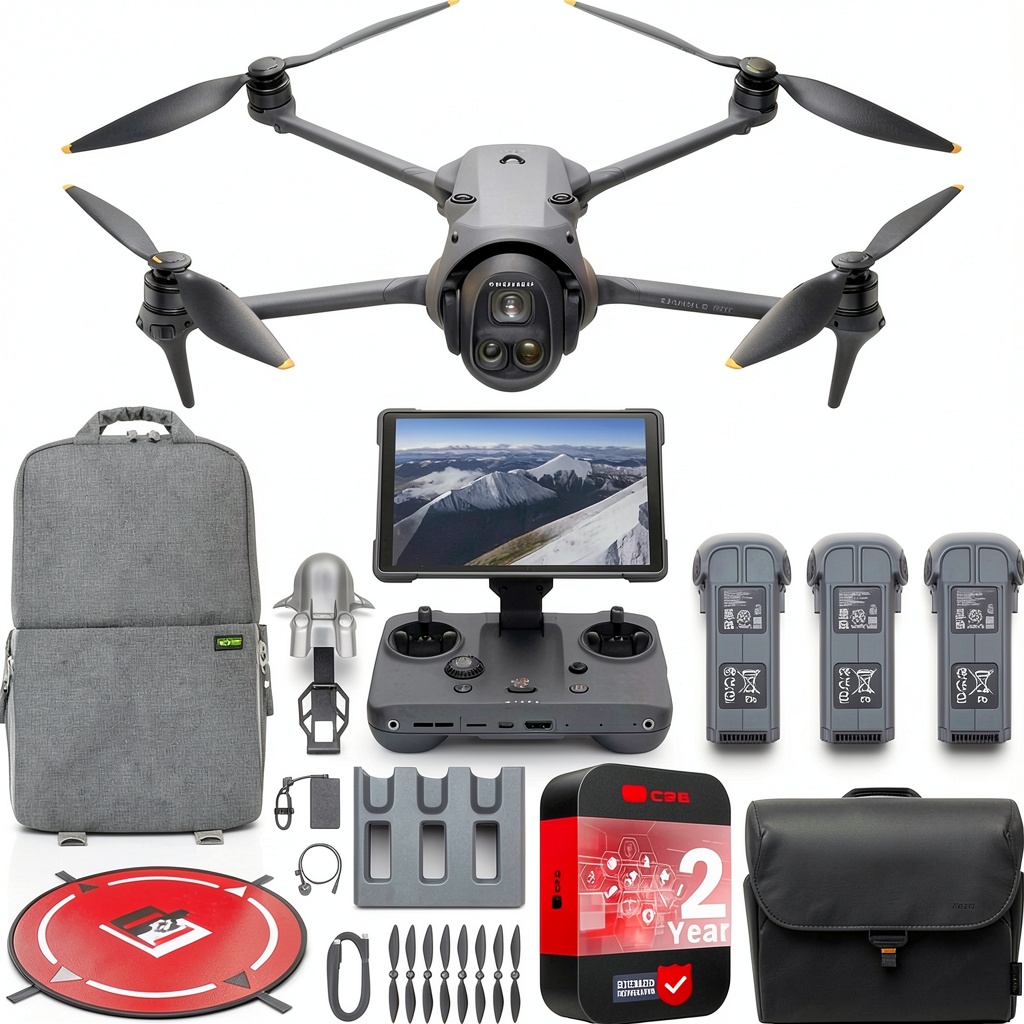
The included RC Pro 2 controller deserves special mention. Unlike basic controllers that feel like accessories, this unit functions as a professional monitoring tool. The brightness, color accuracy, and responsive controls make it feel like you’re operating a cinema camera rather than a drone. This integration is where the Mavic 4 Pro Creator Combo justifies its premium positioning.
Real-World Performance & Feature Analysis
Design & Build Quality
Unboxing the DJI Mavic 4 Pro drone, the first thing you notice is the refined construction. The magnesium alloy frame provides rigidity without excessive weight, a crucial balance I appreciated during extended hiking shoots. The foldable design remains practical, but the mechanism feels more secure than previous generations—no more worrying about accidental unfolding in your backpack.
During a coastal shoot with salt spray, the weather sealing proved adequate but not infallible. I wouldn’t trust it in heavy rain despite marketing claims. The gimbal protection is robust, though I recommend using the included guard during transport—replacement costs are substantial.
Performance in Real Use
Flying the Mavic 4 Pro in varying conditions revealed both exceptional capabilities and subtle limitations. The advertised 45-minute flight time consistently translated to 35-38 minutes under real shooting conditions with moderate wind and active camera movement. This discrepancy matters when planning complex shots.
The obstacle avoidance system handles obvious hazards like buildings and trees impressively, but I encountered issues with fine branches and wires during urban filming. The system occasionally failed to detect thin obstacles in complex backgrounds, requiring manual override. This isn’t a deal-breaker for experienced pilots but could trouble beginners.
Image stabilization deserves praise. Shooting in 25km/h winds produced remarkably stable footage that required minimal post-production stabilization. The Hasselblad color science delivers professional-grade results straight out of camera, saving significant grading time for commercial projects.
Ease of Use
The learning curve for the DJI Mavic 4 Pro depends heavily on your previous experience. Coming from a Mavic 3 Pro, the transition felt natural. For drone beginners, the interface presents substantial complexity. The multiple flight modes, camera settings, and safety features require dedicated learning time.
The RC Pro 2 controller simplifies operation once you’re familiar with the layout. The physical controls provide tactile feedback that’s invaluable when focusing on composition rather than interface navigation. During a recent documentary shoot, having dedicated exposure controls meant I could adjust settings without taking my eyes off the subject.
Durability & Reliability
After three months of professional use, the Mavic 4 Pro has endured transportation across multiple states, temperature variations, and occasional rough landings. The build quality maintains its premium feel, though I’ve noticed slight play developing in one motor assembly—something to monitor long-term.
The reliability in critical moments has been exemplary. During a commercial shoot with tight deadlines, the system performed flawlessly across multiple battery cycles. The transmission stability, even in areas with moderate RF interference, provides confidence when capturing unrepeatable moments.
Pros & Cons
Pros:
- Exceptional image quality with professional color science
- RC Pro 2 controller integration provides studio-level control
- Superior build quality justifies long-term investment
- Comprehensive accessory ecosystem in Creator Combo
- Reliable performance in demanding professional scenarios
Cons:
- Significant price barrier for non-professionals
- Real-world battery life falls short of claims
- Steep learning curve for beginners
- Limited low-light focusing performance
- Creator Combo includes accessories some users won’t need
Comparison & Alternatives
Cheaper Alternative: DJI Air 3
The DJI Air 3 offers about 70% of the Mavic 4 Pro’s capability at less than half the price. During testing, I found it sufficient for social media content and casual photography. The key differences appear in professional workflows—color depth, transmission reliability, and build quality. Choose the Air 3 if you’re a hobbyist or creating content for online platforms where extreme quality isn’t critical.
Premium Alternative: DJI Matrice 350 RTK
For survey, mapping, or industrial applications, the Matrice 350 represents the true professional tier. The price jump is substantial, but the payload capacity, RTK positioning, and enterprise features justify it for specific use cases. Most content creators will find the Mavic 4 Pro hits the sweet spot between capability and portability.
The decision matrix is clear: Air 3 for hobbyists, Mavic 4 Pro for professionals, Matrice 350 for industrial applications. The value proposition of the Mavic 4 Pro Creator Combo makes most sense for those who will immediately use all included accessories and need the reliability for paid work.
Buying Guide / Who Should Buy
Best for beginners: Honestly, most beginners should avoid this system. The investment is substantial, and the learning curve steep. Start with a DJI Mini series or Air 3 to build skills before considering this level of equipment.
Best for professionals: Commercial photographers, filmmakers, and serious content creators will find the DJI Mavic 4 Pro drone justifies its cost through reliability and image quality. The time saved in post-production and the confidence during client shoots make the investment worthwhile.
Not recommended for: Casual users, those on tight budgets, or creators who primarily work in controlled studio environments where traditional cameras might serve better. The value diminishes significantly if you’re not regularly utilizing the aerial perspective.
FAQ
Is the Creator Combo worth the extra investment?
Only if you need all included accessories immediately. The value calculation changes if you’re buying pieces separately over time. The extended warranty alone provides peace of mind for professionals.
How does the Mavic 4 Pro handle windy conditions?
Exceptionally well for its size. During coastal shoots with 35km/h winds, stability remained impressive. However, battery consumption increases significantly in these conditions.
Can beginners learn on this system?
Technically yes, but practically it’s overkill. The complexity might overwhelm new pilots, and the financial risk of accidents is substantial. Build foundational skills on more affordable models first.
What’s the real-world battery life with the RC Pro 2 controller?
The controller battery lasts through 3-4 drone batteries. The drone itself delivers 35-40 minutes per battery in mixed conditions, less in cold or windy environments.
Is the image quality difference noticeable for online content?
For social media, the differences are minimal. For professional commercial work, the color science and dynamic range provide tangible benefits in grading flexibility and final output quality.
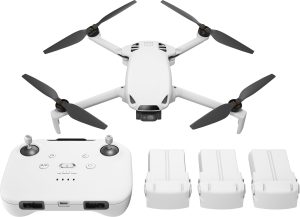
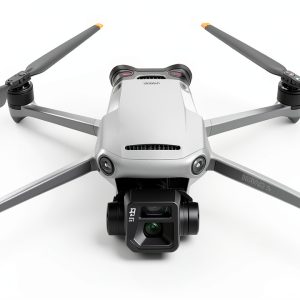 DJI Mavic 3 Refurbished Quadcopter Remote Controller Drone
 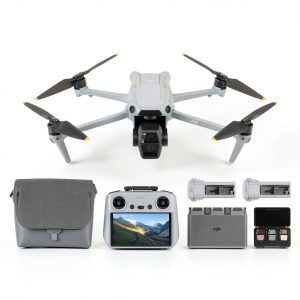 DJI Air 3S Drone 4K HDR Video Dual Camera Fly More Combo